Discover how eSIM technology works, the differences between eSIM and physical SIMs for travel, and why travelers choose embedded SIMs for seamless connectivity abroad.

Reviewed by · Plans, pricing & data sizing
Updated 2026-10-04
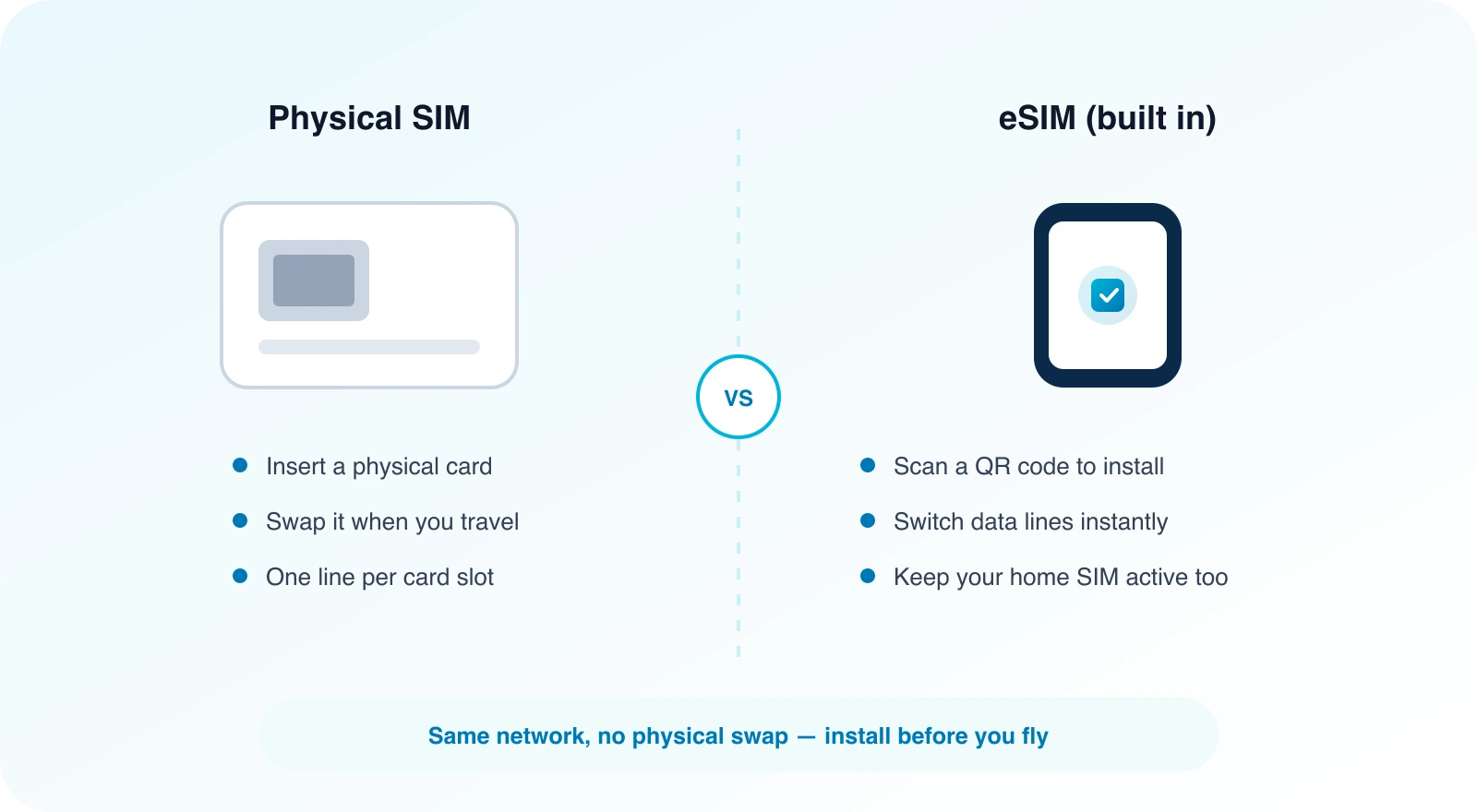
Download a plan instead of swapping a tray card at a kiosk.
Set it up at home on Wi‑Fi and land with data ready to go.
Run data on the eSIM while calls and SMS OTP stay on your primary line.
Change your preferred data line in Settings — no store visit required.
Pick a destination or regional data pack on the web.
Checkout issues a QR code and activation details to your dashboard.
Scan the QR before you fly — takes about two minutes.
Switch Cellular/Mobile Data to the travel line and you're online.
What Is an eSIM? Traveler's Guide to Embedded SIMs & Data Plans
An eSIM (embedded SIM) is a digital SIM built into your phone. Instead of inserting a plastic card, you download a mobile plan with a QR code or carrier app. For travel, that means buying a data pack online, installing it before you fly, and using local partner networks abroad without swapping SIMs.
Travel eSIMs are usually data‑focused. You keep your home number on the primary SIM for calls and SMS while browsing on the eSIM.
PingRoam follows this model: web purchase, QR in the dashboard, companion app for viewing — no in‑app plan sales.
When you scan the QR code, your device contacts the provider’s server, downloads a small encrypted file containing the International Mobile Subscriber Identity (IMSI) and authentication keys, and installs it as a new cellular profile. The profile tells the phone which mobile network operators it may use, based on the agreements the provider has negotiated. Because the profile is software‑based, you can store several of them on the same device and switch between them in settings, though only one can be active for data at a time unless your phone supports simultaneous dual‑eSIM operation.
Installing an eSIM before you leave home means you land with data already active. You can check maps, confirm hotel details, or message a ride‑share driver the moment you step off the plane. Because the plan is purchased in advance, you avoid the surprise of roaming charges that can appear on your home bill weeks later.
Airport kiosks that sell local SIMs often have long lines, especially during peak travel periods. With an eSIM you skip that queue entirely.
Keeping your home SIM active for voice and SMS is useful for banking OTPs, two‑factor codes, or staying reachable on your usual number. The eSIM handles data, so you can use navigation apps, translation tools, or stream music without worrying about draining your primary line.
| eSIM | Physical SIM | |
|---|---|---|
| Form | Digital profile | Plastic nano‑SIM |
| Swap | Instant download | Tray tool + card |
| Dual use | Often + physical SIM | One tray (unless Dual SIM hardware) |
| Best for travel | Pre‑install before landing | Local kiosk after arrival |
Full comparison: Physical SIM vs eSIM.
If you need a local voice number for calls that aren’t covered by your eSIM plan, a physical SIM from a local carrier can be cheaper than purchasing a voice add‑on. Some travelers also prefer a physical SIM when visiting countries where eSIM support is still limited among local operators, though this is becoming rarer as more networks adopt the technology.
You need an eSIM‑capable unlocked (or carrier‑approved) phone. Recent iPhone models from the XS series onward, Google Pixel 4 and later, and Samsung Galaxy S20 and newer flagships typically support eSIM. Some carriers lock the eSIM function to their own network, so it’s worth checking with your provider or using the compatibility check to confirm your exact model works.
If your phone is carrier‑locked, you may still be able to use an eSIM after unlocking the device, but the process varies by region and carrier policy.
Not every phone supports eSIM, especially older or budget models. Profiles are usually tied to a single device at a time; you cannot share the same plan across multiple phones simultaneously.
Coverage depends on the partner networks that the eSIM provider has agreements with. In major cities you’ll often find strong 4G/LTE or 5G signals, while rural areas may rely on older 3G infrastructure. It’s a good idea to look at the provider’s coverage map for your destination before purchasing.
Many travel eSIM plans are data‑only. Voice and SMS on the travel line may be limited or unavailable, which is why keeping your home SIM for calls and texts remains practical. If you need a local number for calls, some providers offer add‑on voice packages, but they are not universal.
Profiles use operator‑grade credentials that are encrypted during download. Purchase from reputable providers, protect your account login with a strong password, and avoid sharing QR codes publicly. If you suspect a profile has been compromised, you can delete it from your device and contact the provider to deactivate the plan.
You need an internet connection—usually Wi‑Fi—to download the profile initially. After the profile is installed, the eSIM functions like any SIM and uses mobile networks for data. Once active, you can turn off Wi‑Fi and rely solely on the cellular connection for browsing, maps, and messaging.
Yes. In your phone’s Cellular or SIM settings, you can select your home line as the preferred mobile data source when the trip ends. You can also delete or disable the travel eSIM profile if you no longer need it, which frees up the slot for another plan later.
The underlying technology is similar, but the profiles are distinct. A phone travel plan is installed on the phone itself; the Apple Watch uses its own eSIM profile for cellular connectivity, which is managed separately through the Watch app on your iPhone.
If you lose the device, the eSIM profile is tied to that hardware. You should contact your provider to deactivate the plan and prevent unauthorized use. Many providers allow you to re‑issue a QR code for a new device after verifying your identity, so you can restore service quickly.
Some providers offer data add‑ons that can be purchased through their website or app. You would download a new QR code or activation code and install it alongside the existing profile, depending on your phone’s ability to hold multiple eSIMs. Check the provider’s FAQ to see whether stacking plans is supported for your specific destination pack.
Before buying, review the plan description on the provider’s website. It typically lists the countries and the mobile operators (e.g., Orange, Vodafone, Telefonica) that have roaming agreements. This information helps you gauge expected signal strength in urban versus rural areas.
Regional packs (such as “Europe” or “Asia‑Pacific”) are designed to work across several nations using a single profile. As you cross borders, the eSIM will automatically attach to a partner network in the new country, provided that operator is part of the agreement. Always verify the list of covered countries before purchase to avoid gaps in service.
Stay connected: check your destination’s eSIM options at Destinations and see how to install on iPhone or Android.
Worth booking: skip the line for the Eiffel Tower (tickets/paris), the Colosseum (tickets/rome), Sagrada Familia (tickets/barcelona), or the British Museum (tickets/london).
